
Capsemble Live · Event Insights
Know if it will fill.Know what to do.
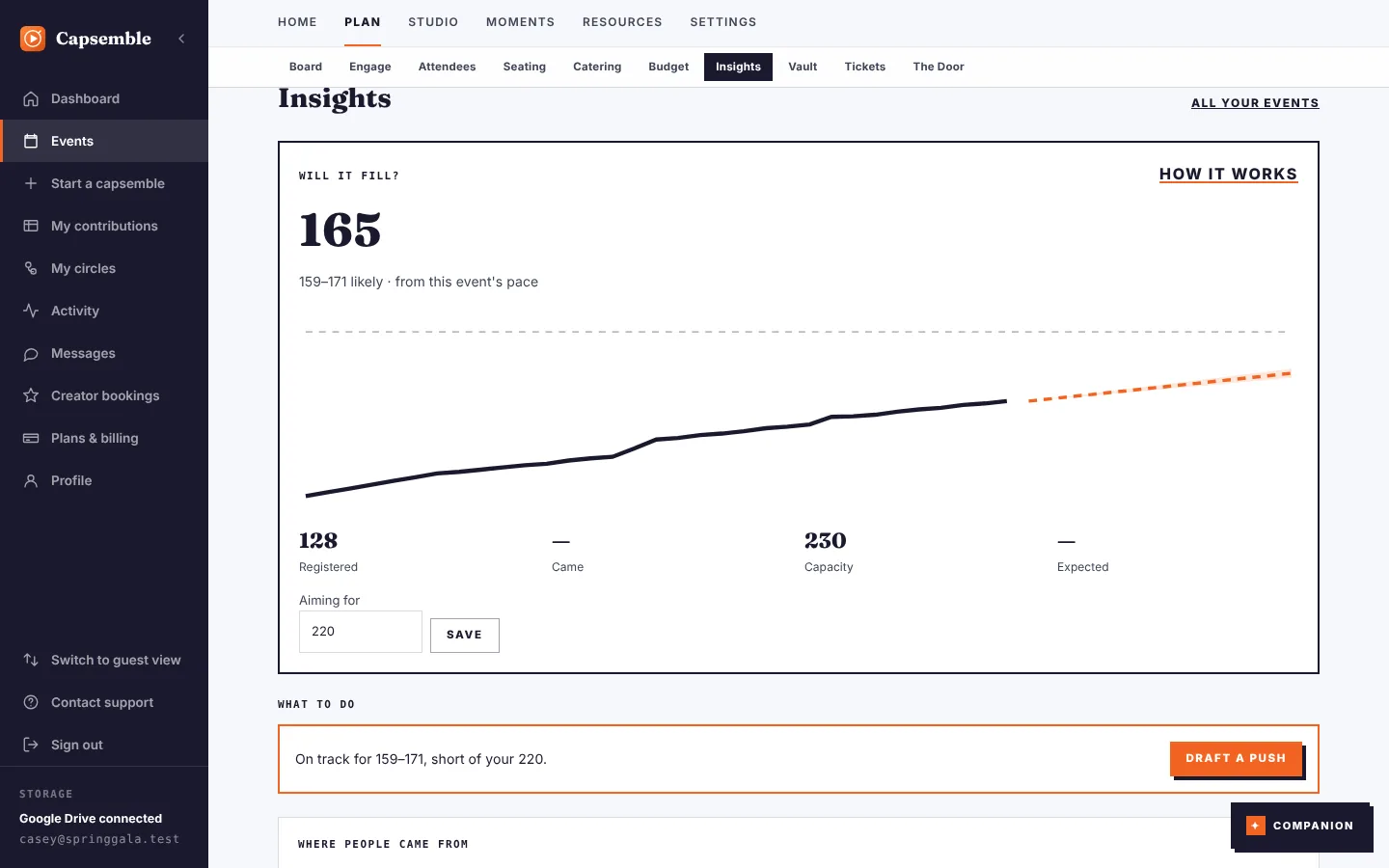
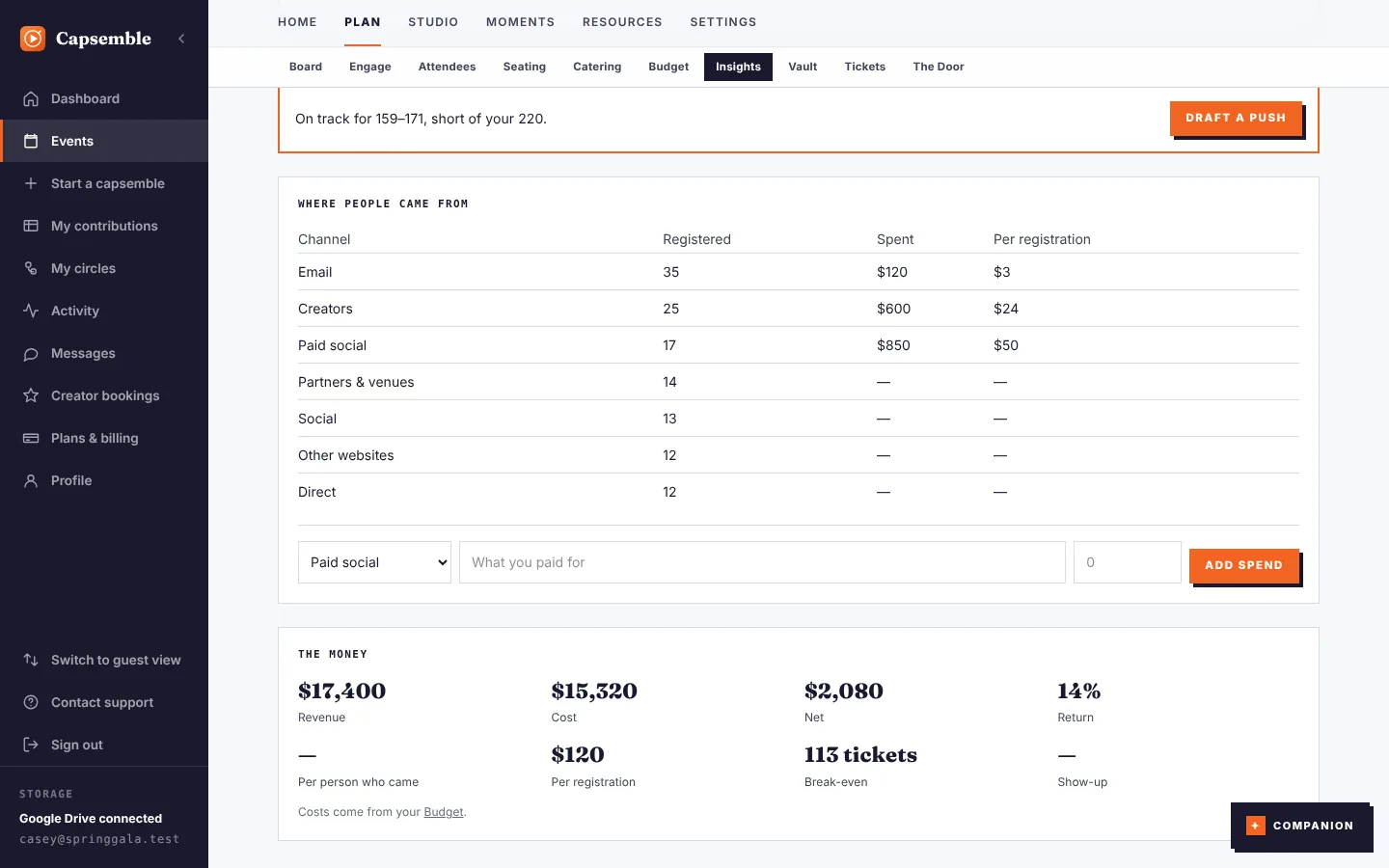
A forecast from your own sales, the risk to act on this week with one action to fix it, where your buyers came from and what each channel cost — from the data your event already holds.
- Forecast after two weeks of sales
- One action per risk
- Sales by channel and creator code
- Every event in one view
 MarcusOn track for 220 of 300
“I used to find out a night wouldn't fill the week before. Now I see it a month out, with the one thing to do about it.”
- A forecast from my own pace
- The push to run, written for me
- What every channel actually sold
How it works
Three steps. That's it.
- 01
Sell
Tickets, RSVPs and check-ins count themselves.
- 02
See
The forecast, the risks and where buyers came from.
- 03
Act
One tap hands the fix to your Companion.
See it
Every screen, built for the day
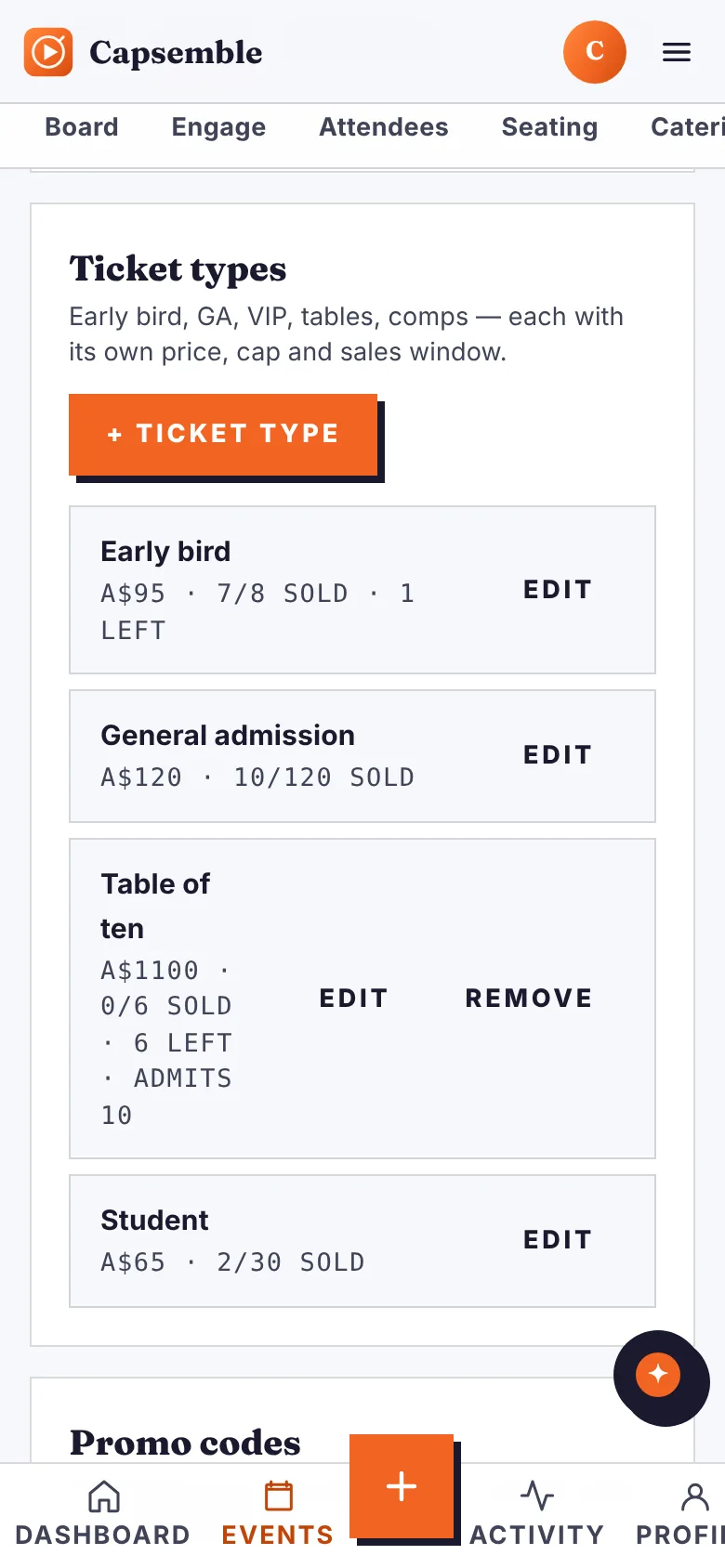
These are the real screens. Each one opens a click-through tour, no sign-up.
Made for
Who uses Event Insights
- Ticketed nights
- Festivals
- Club and chapter events
- Conferences
- Cultural celebrations
- Venues
Questions
Good to know
Where do the numbers come from?
From your event: tickets, RSVPs, check-ins, your budget and the codes people used. Nothing is guessed.
When does the forecast appear?
After 14 days of sales, or sooner when you've run the same kind of event before.
Does it show who bought?
No. Insights is counts and money only — never a guest's name or contact.
More from Capsemble
 Private celebrationsMemoryPlan the party and keep every guest's moments.Explore →Organised eventsLiveTickets, check-in and a room that joins in.Explore →
 Travelling celebrationsDestinationMany days and places, every guest in step.Explore →
 Plan it, then keep itJourneysPlan the journey, split the costs, keep every stop's photos.Explore →
 A programme of eventsCalendarsYour events on one page, subscribed once.Explore →
 Your event teamMarketplaceFind suppliers, compare quotes, book.Explore →
See it coming
Start your event and the numbers build themselves.