
Capsemble Journeys · Plan it, then keep it
Plan the journey.Keep every day of it.
On your own, as a couple, as a family, with friends or with a group. Plan where you're going, split what you spend and keep everyone's photos from every stop in one place. Doing an 88-day working holiday? See how many days are done, with every farm, hostel and weekend away kept in order.
- One plan for the whole journey
- Costs split and settled
- Receipts scanned, not typed
- Everyone's photos, stop by stop


How it works
Three steps. That's it.
- 01
Start
Name the journey, set the dates and invite whoever's coming.
- 02
Add stops
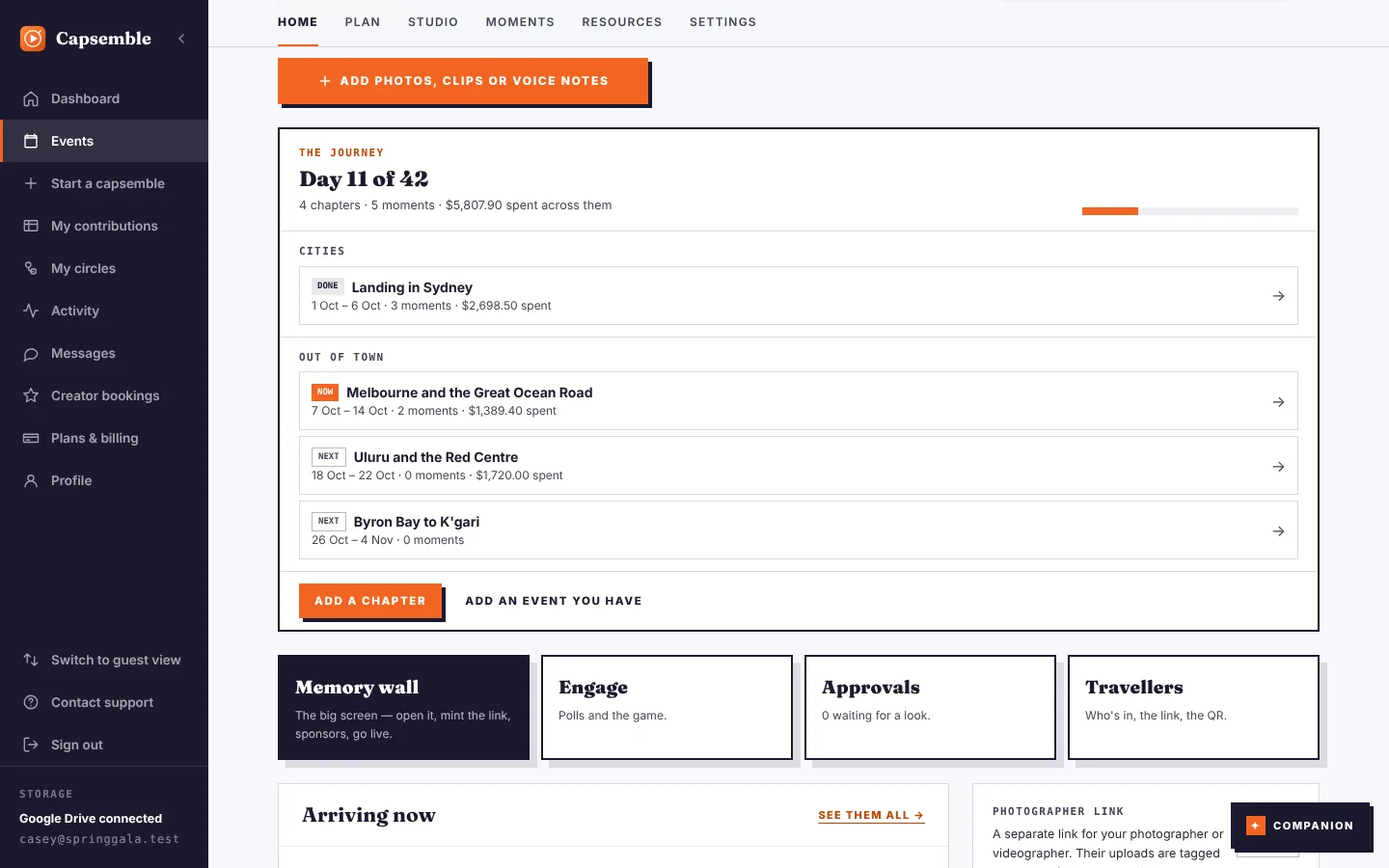
Each place you stay or work, with its days, costs and photos.
- 03
Look back
Every stop in order, with its photos and what it all cost.
See it
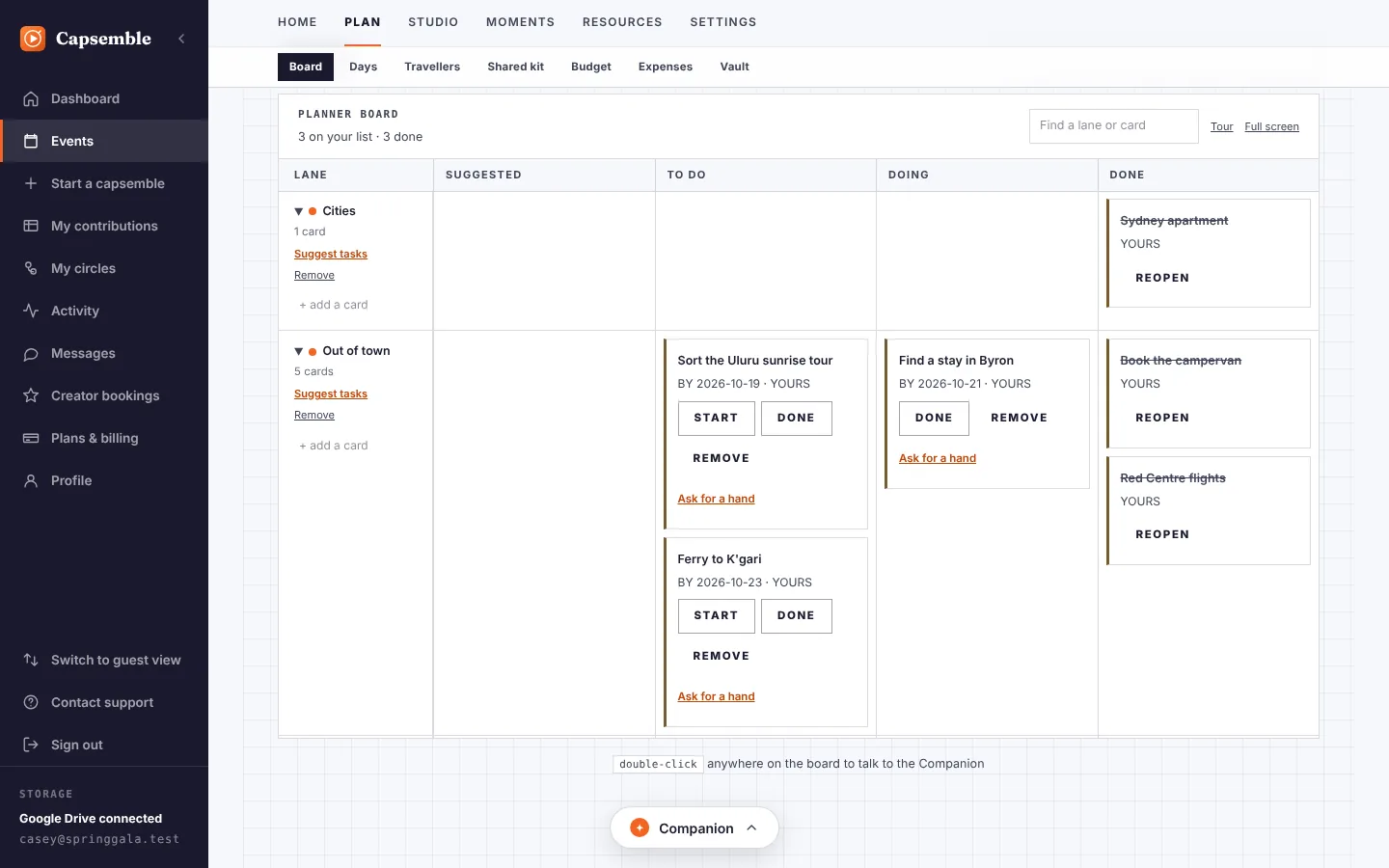
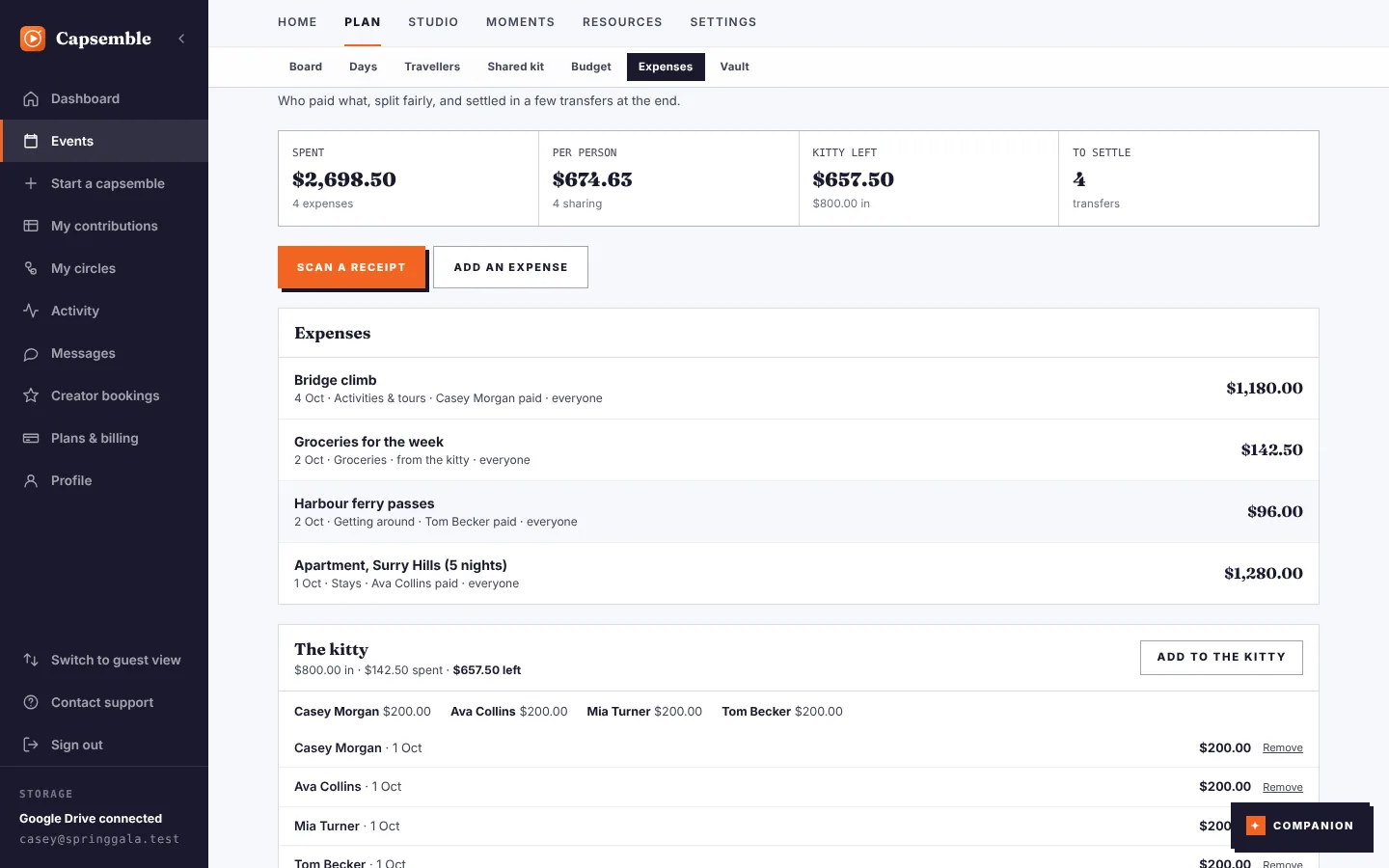
Every screen, built for the day
These are the real screens. Each one opens a click-through tour, no sign-up.
Made for
Whoever you go with
01
Goingsolo
Every place you stayed, in order.
Each place you stay is its own stop, with its days, photos and spending. Look back and the whole journey is there, in order.
- Every stop with its own days and photos
- What each stop cost, and the total
- Help planning the next stop when you want it
Sam keeps six stops in one journey and knows what each one cost.

02
Couples andhoneymoons
One plan, kept by both of you.
Plan it together, split what you spend, and keep both phones' photos with each stop.
- Both of you plan and edit it
- Split costs, see who owes who
- Both phones' photos in one place
Mia and Leo plan three weeks together and settle up at the end.

03
Familieswith teens
One album, not four camera rolls.
Everyone sees the plan for the day and adds photos from their own phone. Each photo stays with the stop it was taken at, and the costs are worked out as you go.
- The day's plan on everyone's phone
- Photos from every phone, in one place
- What each stop cost, and the total
The Harpers take their two teens on a two-week loop and come home with one album.

04
Friendson the road
Nobody chases anyone for money.
Add your friends to each stop. Put money in a kitty, split the rest as you go, scan the receipts and see who owes who at the end.
- A kitty for the shared costs
- Receipts scanned, not typed
- Who owes who, worked out
Zoe and three friends split the boat, the permit and the fuel.




05
Groups andclubs
One person organises it, and everyone knows the plan.
Invite each person to the stops they're on. They see the days and times for their part, add their photos and pay their share.
- Invite people stop by stop
- No app: they join from a link
- Every stop's photos together
Ella runs a five-day coast walk for her club's fourteen members.

06
Working holidaysand gap years
All 88 days, counted and kept.
Every farm job, hostel and weekend away is a stop, with its dates, photos and costs. See how many of your 88 days are done, and keep the moments from each one.
- Where you're up to: day 31 of 88
- Each job and stay with its dates
- Links to the official rules, not guesses
Lena tracks an 88-day working holiday across farms, hostels and weekends away.

Every place you stayed, in order.
Each place you stay is its own stop, with its days, photos and spending. Look back and the whole journey is there, in order.
- Every stop with its own days and photos
- What each stop cost, and the total
- Help planning the next stop when you want it
Sam keeps six stops in one journey and knows what each one cost.
Questions
Good to know
What is a stop?
Each place you stay or work on the way, with its own days, people, photos and spending. In the app, stops are called chapters.
Where are the photos kept?
On your phone or in your own Google Drive. Capsemble doesn't keep a copy.
Do the people with me need an app?
No. They join each stop from a link and add their photos from the browser.
More from Capsemble
 Private celebrationsMemoryPlan the party and keep every guest's moments.Explore →
 Organised eventsLiveTickets, check-in and a room that joins in.Explore →
 Travelling celebrationsDestinationMany days and places, every guest in step.Explore →
 A programme of eventsCalendarsYour events on one page, subscribed once.Explore →
 Your event teamMarketplaceFind suppliers, compare quotes, book.Explore →
Start your journey
Day one is the first stop. Add the rest as you go.